
CryptoTab Farm PRO
CT TechnologiesFinance
3.8802.00 Reviews
- Version
- 2.4359.0
- Installs
- 1.00M
- Age Rating
- Everyone
Screenshots

Our Review of CryptoTab Farm PRO
 Analysis by Appyee
I approach CryptoTab Farm PRO as a crypto-themed finance app for people who want to explore a mining-farm idea without buying dedicated equipment. Its central appeal is managing connected devices from a phone, but I would treat it as an experiment and learning tool rather than a dependable way to make money. That distinction matters: a dashboard can make progress feel tangible, while the value of any crypto activity depends on costs, device use, and what you can actually do with the results.
Trust, controls, and what to weigh before starting
I judge crypto apps less by how confident their dashboards look and more by whether I can make deliberate choices before connecting an account or device. Here, I’d keep the experiment small, read each prompt in context, and treat any displayed progress cautiously until I understand what it represents. That trust-first approach also shapes how I think about the controls and everyday trade-offs.
What kind of crypto experience this is
CryptoTab Farm PRO is developed by CT Systems and sits in the finance category. It is free to install, rated for Everyone, and its current version is 2.0.3499, with Android 7.0 as the minimum OS. The app has a 4.1 average from around 16,000 ratings and more than a million installs. Those figures suggest that many people have tried it, but popularity is not proof of profitability or a substitute for checking whether its approach suits your devices and expectations.
The key question is not simply whether mining can run in the background; it is whether the time, battery use, and any paid boosts make sense for you. I would not install it expecting a predictable income stream. Crypto prices and mining economics can change, and the modest returns described by the app’s own experience are a better starting expectation than a promise of meaningful earnings. If your goal is to learn how a farm-style setup is organized, the concept may be more appealing than the financial outcome.
Account choices and the limits of what to assume
When an app touches accounts, devices, and cryptocurrency, I look for clear choices before linking anything. The earlier account setup and device-connection flow should be treated as moments to slow down: use an account you can secure, review the prompts shown on your own phone, and avoid connecting a device whose owner has not agreed. I would also keep account credentials unique rather than reusing a password from banking, email, or an exchange.
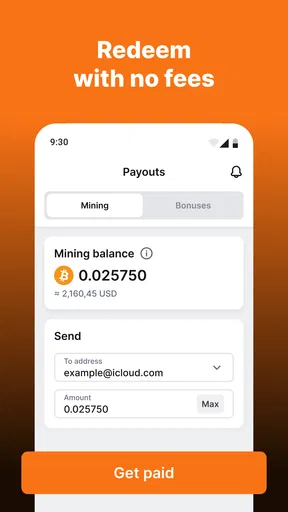
Claims about two-factor authentication, secure connections, and responsive support appeared in the original account of using the app, but those should not be read as a reason to skip your own checks. Confirm the security options visible in your current version and turn on stronger account protection if it is offered. Likewise, read any in-app explanations about balances and withdrawals carefully before treating a displayed figure as money you can spend. A progress number and a usable, transferred balance are not necessarily the same thing.
For privacy, the sensible habit is to inspect the permission prompts and account-related screens as they appear, rather than assuming what the app collects or why. Grant only permissions that make sense for a feature you are actively using. If a prompt seems unrelated to your intended use, pause and decide whether you are comfortable proceeding. This is a practical way to keep control without making unsupported assumptions about the app’s data practices.
Running a farm without turning it into a chore
The multi-device idea works best when you think of it as a small, deliberate setup rather than a reason to connect every spare phone. Start with one device and learn how the dashboard reports activity before adding others. That gives you a baseline for battery impact, heat, and performance on your own hardware. A device that is needed for calls, navigation, or work is a poor candidate if background activity makes it less convenient when you need it.
A useful everyday routine would be to check the app when you are already charging a spare phone at home, then review its activity later rather than repeatedly opening the dashboard. That keeps curiosity from turning into constant monitoring and helps you notice whether the device is becoming warm or draining faster than expected. If you rely on a phone overnight for alarms or emergency calls, keeping it available matters more than squeezing out extra mining time.
Power allocation is a trade-off, not just a performance setting. More activity may make the dashboard look busier, but it can also compete with normal phone use and consume more energy. I would begin conservatively, compare how the phone behaves during ordinary use, and adjust only if the difference is acceptable. The best setting is the one that leaves the device useful—not the highest setting the controls allow.
Paid acceleration and realistic comparisons
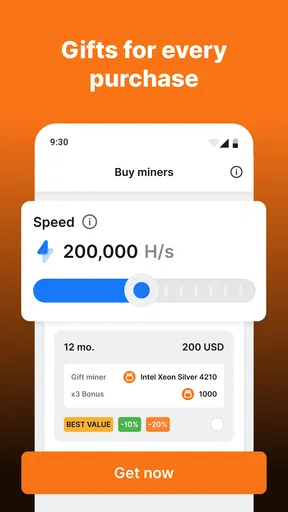
The app includes in-app purchases ranging from $0.99 to $998.99 per item, so I would be especially cautious around any offer to boost mining speed. Before spending, check the exact item, whether it is a one-time purchase or otherwise described in the purchase flow, and what outcome it claims to change. Do not assume that a faster rate translates into a worthwhile return. If you cannot explain how the purchase could pay for itself under your own usage, staying with the free setup is the safer choice.
Compared with buying specialist mining hardware, a phone-based farm is simpler to try and does not require setting up a separate machine. But a phone is also a general-purpose device with limited battery and thermal headroom, so this convenience has practical limits. Compared with a conventional budgeting or investment app, this is not about tracking household spending or building a diversified portfolio; it is an experimental crypto activity. If you want predictable financial planning, use tools built for budgeting or research instead. If you want to learn how a multi-device mining interface feels, this has a more relevant focus.
One non-obvious way to use the dashboard is as a comparison tool rather than a scoreboard. Observe how one device behaves under a consistent routine, then decide whether adding another device changes the experience enough to justify the extra charging and attention. Avoid comparing a brief session on one phone with a long session on another and drawing a financial conclusion from that difference. Consistency makes your own observations more useful, even if it cannot guarantee future earnings.
Who is likely to enjoy it—and who should pass
I can see the app appealing to crypto-curious users who like monitoring a system, have a spare device, and are comfortable treating any earnings as uncertain. It may also suit someone who wants a hands-on introduction to farm management without first purchasing dedicated equipment. The useful outcome for these users may be understanding the workflow and its trade-offs, not making a profit.
I would skip it if you need reliable income, want a low-maintenance investment, or cannot spare battery and device availability. It is also a poor fit if you are uncomfortable connecting devices to an account or making decisions around crypto activity. A person who wants to buy or sell crypto directly may be better served by a dedicated exchange, while someone focused on learning the underlying technology may prefer educational material that explains mining without asking a phone to run it.
Before relying on it, I would ask myself three practical questions: Can I leave this device available without disrupting daily use? Do I understand what the dashboard’s figures represent and what steps are needed before any balance is usable? Am I willing to keep the setup free unless a purchase has a clear, understandable purpose? If any answer is no, there is little reason to rush into linking more devices or paying for acceleration.
My cautious verdict
My overall view is that CryptoTab Farm PRO is most convincing as a low-commitment way to explore a crypto-farm interface, not as a shortcut to earnings. I would start with a single spare device, inspect the account and permission choices as they appear, watch for battery or heat issues, and avoid paid boosts until I could judge the free experience for myself. That approach keeps the experiment small and makes it easier to stop if the costs in attention or device use outweigh the interest.
The app is free to download, but that does not make every choice inside it cost-free: device wear, electricity, time, and optional purchases all deserve consideration. I would recommend trying it only with modest expectations and a clear limit on how much effort or money I am willing to put in. If what you want is a dependable financial tool, choose something designed for that job; if you are curious about managing a small, phone-based mining setup and can treat the outcome as uncertain, this may be worth exploring carefully.
The Mining Experience
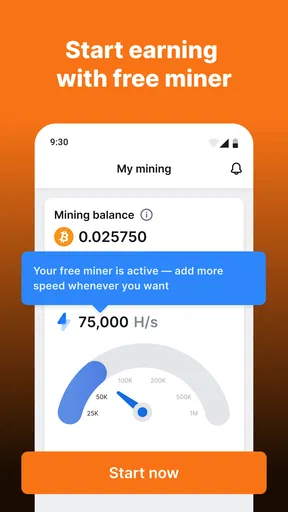
Now, onto the good stuff – the mining. The app uses your device's processing power to mine cryptocurrency. Don’t worry, the app is designed to work in the background, so it's not like your phone will be heating up like a toaster. Plus, you can control when and how much power to allocate, making it flexible for different users.
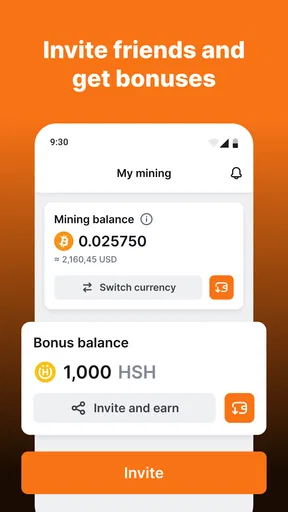
One of the standout features is the dashboard. It’s super intuitive, providing real-time updates on your mining progress, earnings, and device performance. I found myself checking it more often than I'd like to admit – it’s a bit addictive watching those numbers climb!
Performance and Earnings
Let’s talk about what really matters: how much can you earn? Well, this depends on several factors, like the number of devices you have connected and their processing power. In my experience, the earnings were modest, but it’s a fun way to dip your toes into the crypto world without investing in expensive equipment.
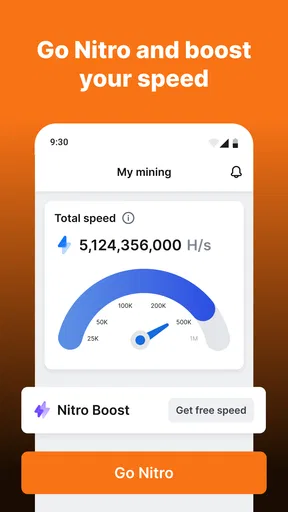
Oh, and there's an option to boost your mining speed, but that comes with a cost. It’s worth considering if you’re serious about maximizing your earnings, but for casual users, the basic setup is just fine.
Security and Support
Security is always a concern with anything involving cryptocurrency, but CryptoTab Farm PRO seems to have it covered. The app uses secure connections and offers two-factor authentication to keep your account safe. It’s reassuring to see these features in place.
If you ever run into issues, their support team is pretty responsive. I threw a couple of questions their way, and they got back to me fairly quickly. Plus, there’s a comprehensive FAQ section within the app that answers most common questions.
Final Thoughts
All in all, CryptoTab Farm PRO is a solid option for anyone curious about mining cryptocurrency on their mobile devices. It’s easy to set up, fun to use, and provides a decent introduction to the world of crypto mining. Sure, you’re not going to get rich overnight, but it’s definitely a neat way to earn a little extra while learning about the crypto space.
If you’re ready to start your mining journey, you can grab the app from the links below and see how it works for you. Happy mining!
Verdict
Strengths of CryptoTab Farm PRO
- User-friendly interface for easy navigation.
- Seamless integration with existing devices.
- Real-time mining status updates.
- Customizable mining settings for efficiency.
- Secure transactions and data handling.
Limitations of CryptoTab Farm PRO
- Requires stable internet for optimal performance.
- Higher battery consumption on mobile devices.
- Limited customer support options available.
- Subscription model may not suit all users.
- Some features require in-app purchases.
Other Releases by CT Technologies
View All
CryptoTab Browser Max Speed
Communication4.3

CT Pool: Crypto Mining App
Tools4.2
Similar Picks in This Category
View All
Google Wallet
Google LLC4.3

Airtel: Recharge, Bank & Loans
Airtel4.0

PayPal - Pay, Send, Save
PayPal Mobile4.2

DANA Indonesia Digital Wallet
PT Espay Debit Indonesia Koe4.5

Binance: Buy Bitcoin & Crypto
Binance Inc.4.8

Cash App
Block, Inc.4.7
Frequently Asked Questions
What is CryptoTab Farm PRO, and how does it work?
CryptoTab Farm PRO is an advanced version of the popular CryptoTab mining platform, designed to help users maximize their cryptocurrency mining efficiency. It allows users to manage multiple mining devices from a single app, providing detailed statistics and remote control features. The app is user-friendly and supports both Android and iOS platforms.
Is CryptoTab Farm PRO safe to use on my device?
Yes, CryptoTab Farm PRO is designed with security in mind. It uses encryption to protect your data and ensure safe transactions. However, as with any app that involves financial transactions, it's crucial to download it from reputable sources such as the Google Play Store or Apple App Store and keep your app updated to the latest version.
What are the main features of CryptoTab Farm PRO?
CryptoTab Farm PRO offers a range of features such as the ability to manage multiple mining devices, real-time statistics, and remote control over your mining operations. It also provides users with detailed reports on mining performance and profitability, along with a sleek, intuitive interface for easy navigation.
Does CryptoTab Farm PRO consume a lot of device resources?
CryptoTab Farm PRO is designed to be efficient, minimizing the impact on your device’s performance. However, mining cryptocurrency inherently requires computational power, which might affect battery life and processing speed to some extent. Users can control resource allocation within the app to find a balance that suits their needs.
How can I maximize my earnings with CryptoTab Farm PRO?
To maximize earnings with CryptoTab Farm PRO, consider linking multiple devices to your account to increase your mining power. Keeping the app updated and running consistently will also enhance productivity. Additionally, exploring the app's settings to optimize performance and understanding market trends can contribute to better profitability.
